
Blog · April 30, 2026 · 8 min read
Troubleshooting Guide SOP: What It Is and How to Build One
A troubleshooting guide turns a senior tech's instinct into a procedure anyone can follow. Here's what goes in one and how to build it for your equipment.
- SOPs
- Troubleshooting
- Maintenance
- Documentation

A troubleshooting guide SOP is a standardized procedure that helps anyone diagnose and fix a recurring problem with a piece of equipment, by working from the symptom to the likely cause to the proven resolution. It captures what your most experienced technician already knows and turns it into steps the next person can follow.
Unlike a normal step-by-step SOP that walks through one fixed task, a troubleshooting guide branches: the right next step depends on what you observe. Done well, it stops a stoppage from waiting on one expert who might be off shift.
Key takeaways
- A troubleshooting guide SOP is built around symptom, cause, and resolution, not a single linear sequence.
- It is diagnostic and branching: the next step depends on what the operator sees, hears, or measures.
- It is internal and equipment-specific, different from a customer-facing help article.
- Build it in six steps: gather the common faults, find root causes, document the fixes, draft, add visuals, then test and improve.
- The fastest way to capture one is to record a senior technician fixing the real fault, then turn that into a written guide.
What is a troubleshooting guide SOP?
A standard operating procedure (SOP) documents how to do a recurring task the right way. A troubleshooting guide is a specific kind of SOP for when something goes wrong: it lists the common faults for a machine or process and the steps to diagnose and resolve each one.
The structure is what sets it apart. A good troubleshooting guide maps three things for every known problem:
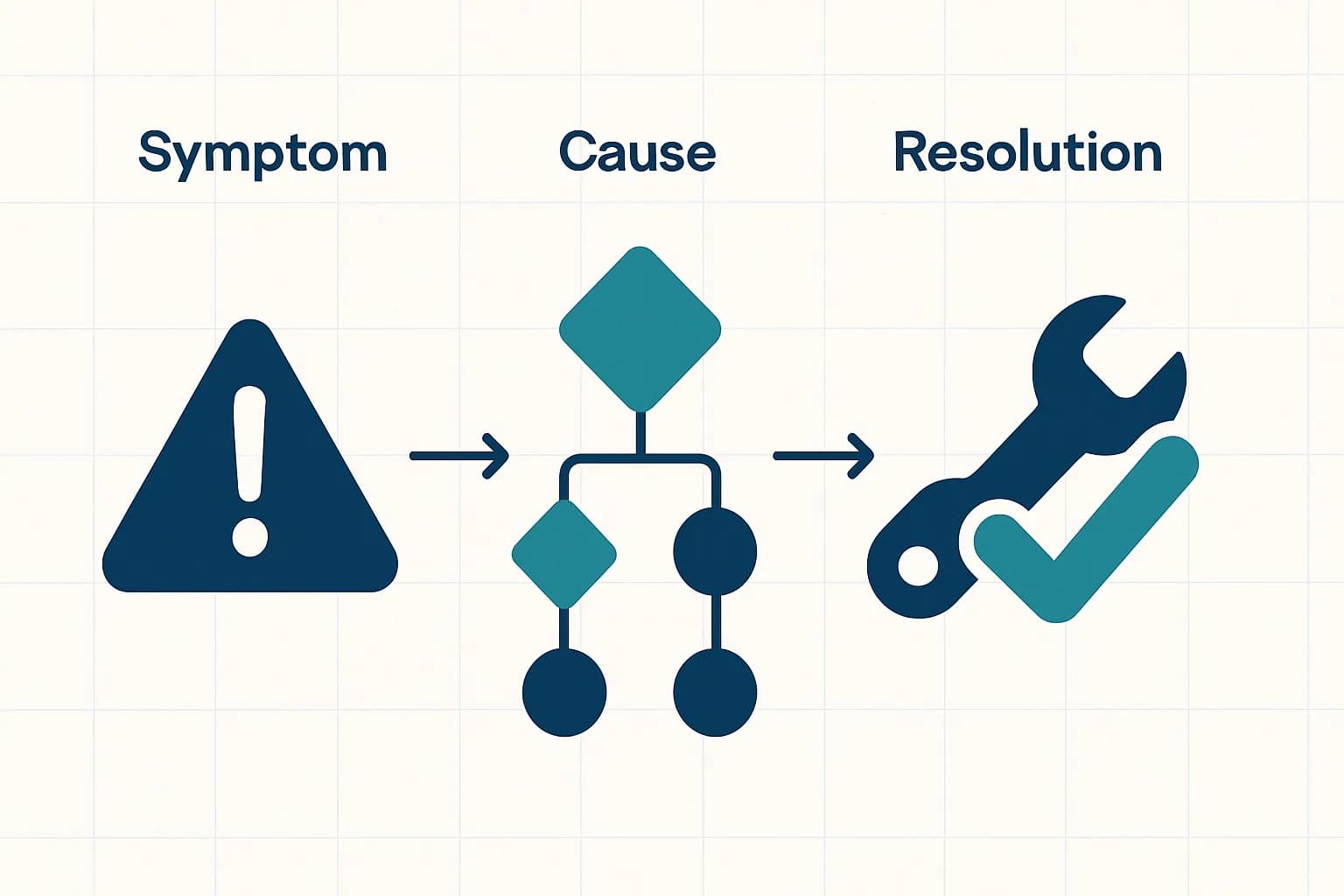
- Symptom: what the operator actually observes. The machine will not start, the readout shows an error code, the part comes out off-spec.
- Cause: the likely reasons, in order of probability. A troubleshooting guide usually branches here, because one symptom can have several causes.
- Resolution: the steps to confirm each cause and fix it, from the quickest check to the most involved repair.
Troubleshooting guide vs a normal SOP
They are close cousins, but they are not the same document. A normal step-by-step SOP is linear: do step one, then two, then three. A troubleshooting guide is diagnostic: it asks a question, and your answer decides where you go next.
| Normal SOP | Troubleshooting guide SOP | |
|---|---|---|
| Purpose | Perform a task the right way | Diagnose and fix a problem |
| Shape | A single fixed sequence | Branching, decision-tree style |
| Trigger | It is time to do the task | Something went wrong |
| Built around | Steps in order | Symptom, cause, resolution |
| Reader | Anyone performing the task | Whoever hits the fault, often under time pressure |
It is also worth separating an internal troubleshooting guide from a customer-facing one. A help-center article walks a customer through a software setting from their own screen. The SOP we are talking about is for your team, at the machine, often with gloves on and a line stopped behind them.
Why troubleshooting guides matter
- Less downtime. The fix does not wait for the one person who knows it. A clear guide gets the line moving faster.
- Knowledge that does not walk out the door. When a senior technician retires or moves on, their diagnostic instinct stays behind in writing.
- Consistent, safer fixes. Everyone confirms the cause before swapping parts, instead of guessing or skipping a safety step.
- Faster onboarding. A new hire can resolve known faults without escalating every one.
- A record to improve from. Patterns in the faults you document point at the equipment or process that needs real attention.
How to create a troubleshooting guide SOP in 6 steps
1. Gather the faults worth documenting
Start with the problems that actually recur. Pull from maintenance logs, downtime reports, and the technicians who get called the most. Document the handful of faults that cause the most stoppages first, not every theoretical failure.
2. Find the root cause of each
For every symptom, list the likely causes in order of how often they are the real culprit. This is the branching part. A machine that will not start might be a tripped interlock, a blown fuse, or a sensor fault, and the guide should help the operator tell them apart.
3. Document the proven fix
Write the resolution for each cause, ordered from the quickest safe check to the fuller repair. Note the tools, the parts, and any safety step that is not optional, like locking out power before opening a panel.
4. Draft it from how the work really happens

The hardest part of any troubleshooting guide is getting the expert's knowledge out of their head and onto the page, because they are busy fixing things, not writing. The shortcut is to capture the real diagnosis as it happens. With sopmodo, a technician records a voice walk-through and photographs each check while resolving the actual fault, and the AI drafts the steps. You go from a live repair to a written guide instead of starting at a blank page.
5. Add visuals at every decision point
Troubleshooting is visual. A photo of the tripped interlock, the right reading on the gauge, or the worn part removes ambiguity faster than a paragraph. Annotate the images so the operator knows exactly what they are looking at.
6. Test it, then keep it current
Hand the guide to someone who has not fixed that fault before and watch them use it on the next occurrence. Where they get stuck, the guide is unclear. Update it after equipment changes and whenever a new failure mode shows up.
A quick build checklist
- Each entry names a clear symptom an operator would actually notice.
- Likely causes are listed in order of probability, not at random.
- Every cause has a confirm step before a fix, so no one swaps parts on a guess.
- Safety-critical steps, like lockout/tagout, are explicit and unmissable.
- Photos show the decision points: the reading, the part, the indicator.
- It has been tested by someone who did not already know the fix.
- There is an owner and a date, so it gets updated when the equipment does.
Frequently asked questions
What is the difference between a troubleshooting guide and an SOP?+
What should a troubleshooting guide include?+
Who should write the troubleshooting guide?+
How is a troubleshooting guide different from a customer help article?+
How often should I update a troubleshooting guide?+
The bottom line
A troubleshooting guide SOP is the difference between a fault that waits for an expert and a fault anyone can clear. Build it around symptom, cause, and resolution, branch where the diagnosis branches, and capture it from the technician who already knows the fix rather than a blank page. The result is less downtime, safer repairs, and knowledge that stays with the team.
Try sopmodo
Turn your next walk-through into an SOP.
Record a task by voice on the floor; review and export the written procedure on the web. Bring it to your whole team.